Details
DRM: Readium LCP DRM
Weitere Details
Beschreibung
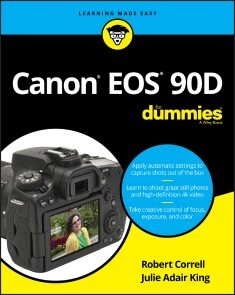
Your Canon EOS Rebel T6i/750D is capable of taking incredibly cool and truly frame-worthy photos, but unless you know how use it properly your pictures won't be worth a thousand words. Luckily,Canon EOS Rebel T6i/750D For Dummies is packed with the tips, tricks, and instruction you'd gain in a photography course to take the intimidation out of working with your new cameraso you can start taking stunning photos right away.
Assuming no prior experience in photography, this book gets you up to speed on core photography concepts, then shows you how to grasp using the features specific to the Canon EOS Rebel T6i/750D, like working in automatic mode, controlling exposure, selecting the best lens for the job, using shutter and aperture priority modes, knowing how and when to use flash, and so much more. Whether you're looking to capture lovely landscapes, perfect portraits, awesome action shotsor anything in betweenthe friendly guidance you'll find inside offers everything you need to getthe shotevery time.
- Get started in automatic mode before working up to advanced features
- Take control of your camera's exposure, lighting, color, and focus settings
- Shoot better portraits and action shots
- Get great shots every timeeven in low light and when composing close-ups
Complemented by online supplements that cover the unique features of the companion T6i/750D at dummies.com, this hands-on guide will take your pictures from bland to beautiful in a flash!
Über Julie Adair King, Robert Correll
Julie Adair King has written more than 50 books on digital photography, cameras, and photo editing software. She also teaches beginning photography techniques to new dSLR owners.Robert Correll is the author of several photography books, includingDigital SLR Photography All-in-One For Dummies.
Inhalt
Introduction 1
Part I: Fast Track to Super Snaps 5
Chapter 1: Getting Up and Running 7
Chapter 2: Choosing Basic Picture Settings 53
Chapter 3: Taking Great Pictures, Automatically 85
Part II: Taking Creative Control 111
Chapter 4: Taking Charge of Exposure 113
Chapter 5: Controlling Focus and Depth of Field 157
Chapter 6: Mastering Color Controls 185
Chapter 7: Putting It All Together 203
Chapter 8: Shooting and Viewing Movies 221
Part III: After the Shot 235
Chapter 9: Picture Playback 237
Chapter 10: Working with Picture and Movie Files 265
Part IV: The Part of Tens 293
Chapter 11: Ten More Ways to Customize Your Camera 295
Chapter 12: Ten Features to Explore on a Rainy Day 307
Index 325
E-Book Informationen
Alle hier erworbenen E-Books können Sie in Ihrem Kundenkonto in die kostenlose PocketBook Cloud laden. Dadurch haben Sie den Vorteil, dass Sie von Ihrem PocketBook E-Reader, Ihrem Smartphone, Tablet und PC jederzeit auf Ihre gekauften und bereits vorhandenen E-Books Zugriff haben.
Um die PocketBook Cloud zu aktivieren, loggen Sie sich bitte in Ihrem Kundenkonto ein und gehen dort in den Bereich „E-Books“. Setzen Sie hier einen Haken bei „Neue E-Book-Käufe automatisch zu meiner Cloud hinzufügen.“. Dadurch wird ein PocketBook Cloud Konto für Sie angelegt. Die Zugangsdaten sind dabei dieselben wie in diesem Webshop.
Weitere Informationen zur PocketBook Cloud finden Sie unter www.meinpocketbook.de.
Allgemeine E-Book-Informationen
E-Books in diesem Webshop können in den Dateiformaten EPUB und PDF vorliegen und können ggf. mit einem Kopierschutz versehen sein. Sie finden die entsprechenden Informationen in der Detailansicht des jeweiligen Titels.
E-Books ohne Kopierschutz oder mit einem digitalen Wasserzeichen können Sie problemlos auf Ihr Gerät übertragen. Sie müssen lediglich die Kompatibilität mit Ihrem Gerät prüfen.
Um E-Books, die mit Adobe DRM geschützt sind, auf Ihr Lesegerät zu übertragen, benötigen Sie zusätzlich eine Adobe ID und die kostenlose Software Adobe® Digital Editions, wo Sie Ihre Adobe ID hinterlegen müssen. Beim Herunterladen eines mit Adobe DRM geschützten E-Books erhalten Sie zunächst eine .acsm-Datei, die Sie in Adobe® Digital Editions öffnen müssen. Durch diesen Prozess wird das E-Book mit Ihrer Adobe-ID verknüpft und in Adobe® Digital Editions geöffnet.